Turn on time
A countdown to the latest safe turnaround, big and in colour, with a buzz 30 minutes before and a prompt when it’s time.
Garmin Connect IQ data field · hiking, mountaineering, ski touring
Know when to turn around. Back before dark.
The question every mountain day turns on, answered live: if I keep going, will I be back before dark? A countdown to your latest safe turnaround, from your own pace and the way back, with your margin to dark, a summit check and the battery you’ll have at the car.
Submitted to Garmin on 9 November 2026. It’ll be in the Connect IQ Store as soon as Garmin approves it.
by falkster · one-time purchase, no subscription
What it is
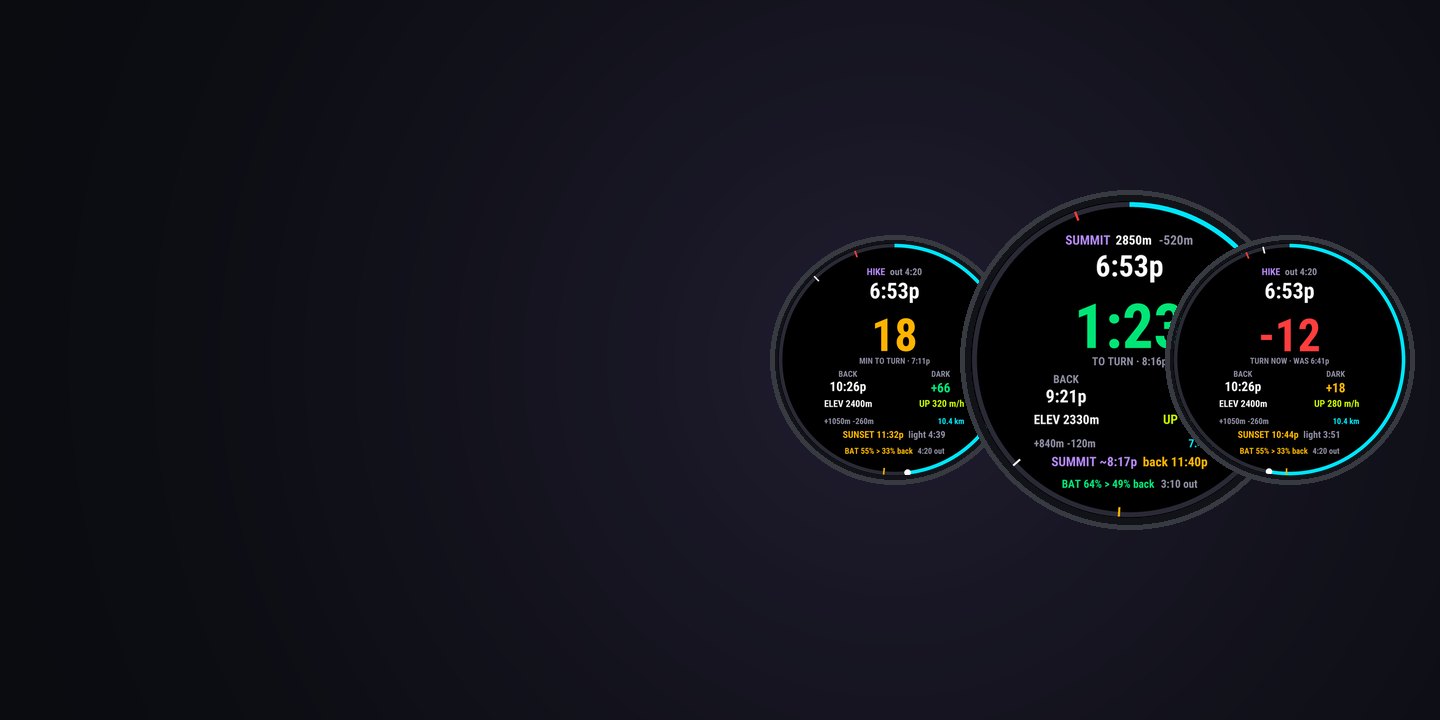
Guides set a turnaround time before they leave, and people still miss it, because on the mountain nobody does the maths. SUMMIT HUD does it every second: from how fast you’re really moving today, how much climb and descent you’d have to undo, and when it gets dark where you started.
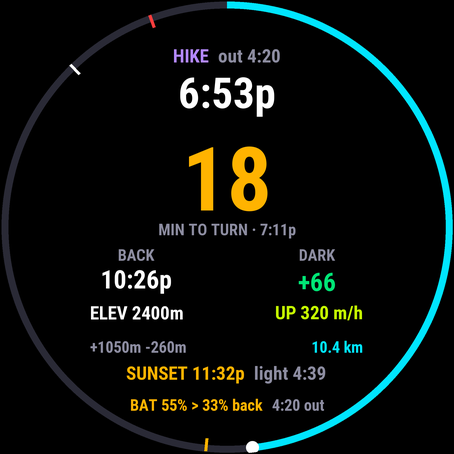
A countdown to the latest safe turnaround, big and in colour, with a buzz 30 minutes before and a prompt when it’s time.
When you’d be back if you turned now, and how much daylight you’d have left. Sunset is worked out on the watch.
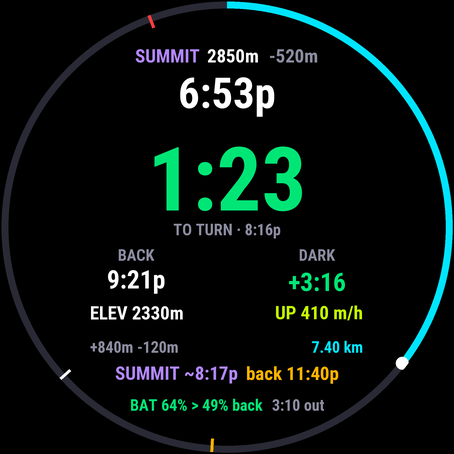
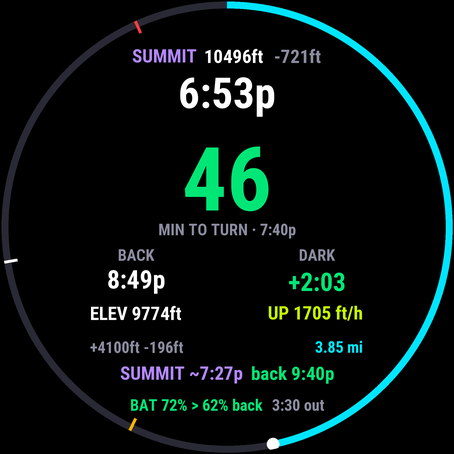
Set the summit’s altitude and see whether it fits: when you’d top out, and when you’d be back.
Why it matters
Going up, you can see the summit. You can’t see how long the way back will take you this afternoon, tired, or how much light you’ll have. That number decides the day, and your watch doesn’t show it.
1.5×
Roughly what each minute further up a steep climb costs you: the minute, plus the way back down it. Turnaround times slip because that maths is hard to do in your head.
0
Countdowns or alerts on Garmin’s own sunrise and sunset fields. They show the clock time; the margin is up to you.
65,439
Search-and-rescue incidents in US national parks in 16 years, with 2,659 deaths. Hiking is the activity that most often needs one.
57.7M
Americans who went hiking in 2025, the biggest outdoor activity there is. Most of them carry a watch that knows sunset.
Sources: Garmin owner’s manual, data fields; Heggie and Amundson, Wilderness & Environmental Medicine, 2009 (1992–2007); NSGA participation study, via SGB. The 1.5× is SUMMIT HUD’s own effort rule on a steep climb; the guide shows the maths.
Features
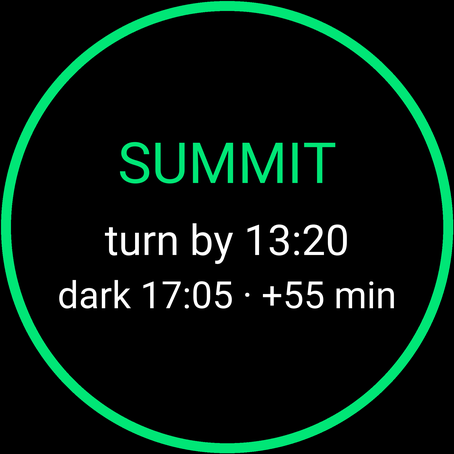
One big number and one colour code, the rest of the day around it. Nothing buzzes unless it matters.
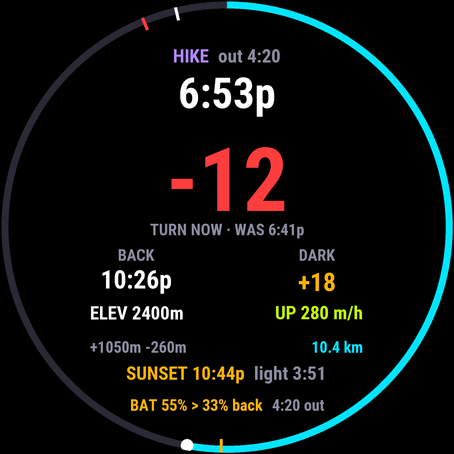
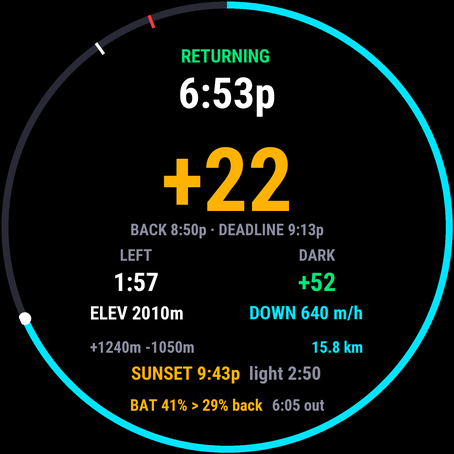
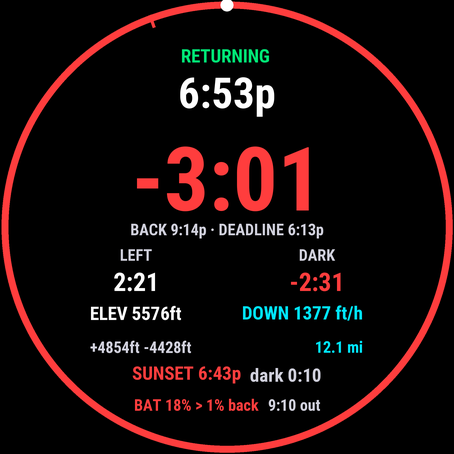
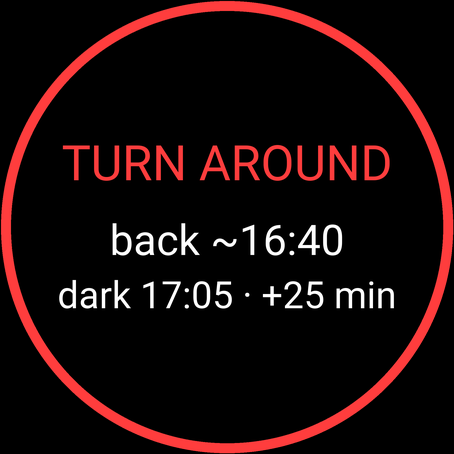
The big number is the time left to turn around. After you turn, it’s your margin to the deadline.
Screenshots
Setup
Nothing to plan. Do it once, at home, and try it on a short walk.
Get SUMMIT HUD from the Connect IQ Store. It’s a data field, so it lives inside your activity profiles.
On the watch, add a data screen with a one-field layout to your Hike profile (or Mountaineering, Backcountry Ski, Trail Run) and pick SUMMIT HUD. Enable it under Alerts › Connect IQ.
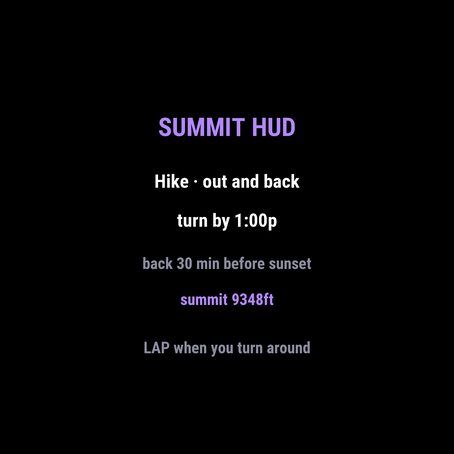
In the Connect IQ app: ski touring or hiking, your summit’s altitude, a hard turnaround or back-by time, sunset or civil dusk, your safety buffer.
Open the activity: the ready screen shows what it’ll use. Start when you leave the car, not before, so the way back is timed from there.
Every setting and how the numbers are worked out is in the guide.
On the day
Start the activity where you start walking. It needs one GPS fix for sunset; until then it says it’s waiting.
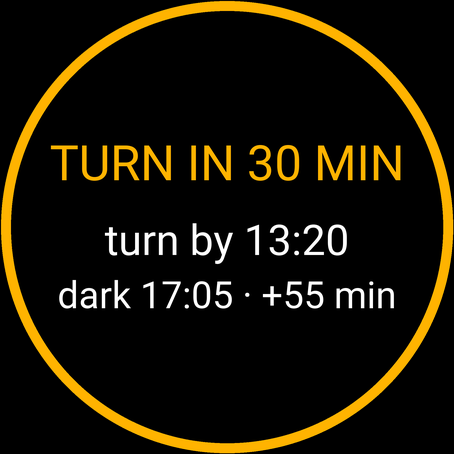
Glance at the big number. Green: enjoy it. Amber: you have less than 30 minutes; decide where you’ll turn. The first hour teaches it your pace.
A buzz and the clock time to turn by. If the summit is set, the line below shows whether it still fits.
A prompt with when you’d be back and your margin to dark. Turn, and press LAP. If you keep going, it reminds you every 10 minutes.
The big number is your margin to the deadline; the pair below, the time left and the margin to dark. If dark comes first, it says so.
A crash or “resume later” doesn’t reset it: the day, the turn and the runs are saved on the watch and picked up in the same activity.
Devices
Connect IQ 4.2 or later, in the Hike, Mountaineering, Rucking, Trail Run, Walk, Backcountry Ski, Backcountry Snowboard and Snowshoe profiles. No course, map or phone needed.
70, 165, 165 Music, 170, 170 Music, 255, 255 Music, 255S, 255S Music, 265, 265S, 570 (42 and 47 mm), 955, 965 and 970.
fenix 7, 7S, 7X and their Pro and Solar editions, fenix 8 (43 and 47/51 mm AMOLED, Solar, Pro), fenix 9 and 9 Pro, fenix E, epix (Gen 2), epix Pro (42, 47, 51 mm).
Enduro 3 and 4, Instinct 3 AMOLED (45 and 50 mm), Instinct Crossover AMOLED.
Venu 3, 3S, Venu 4 (41 and 45 mm), Venu X1, vivoactive 5 and 6.
MARQ (Gen 2), MARQ Aviator, MARQ (Gen 3), D2 Mach 1 and 2 (and Pro), Descent Mk3 (43 and 51 mm), and the tactix editions of these watches.
Privacy
SUMMIT HUD has no internet permission, no account and no server. It can’t send anything anywhere.
It reads your start point only to work out sunset, on the watch. It’s never stored anywhere else.
The turnaround and daylight margins go into your own activity file. Privacy policy.
FAQ
It times the way back from your own day so far. Effort follows the Swiss hiking rule (1 km of trail, 100 m of climb and 200 m of descent are worth the same), and your pace, breaks included, blends the last hour with the whole day. Your deadline is sunset or civil dusk at your start, minus your safety buffer, or a back-by time you set. The latest turnaround is the moment when going on any further would bring you back after it.
Because every minute you keep going costs more than a minute: the minute itself, plus the way back down it. SUMMIT HUD measures how fast your way back is growing over the last 10 minutes and counts that in, so on a steep climb the countdown runs faster than the clock.
Yes. Set a turnaround time (13:00, 1:00p) and SUMMIT HUD holds you to whichever comes first: that time or the one daylight allows. A back-by time (say, 17:30 for the last bus) replaces daylight as the deadline.
Press LAP when you turn around. SUMMIT HUD switches to the way back: time left to the start, your margin to the deadline and to dark. A second LAP within a minute undoes it. If you forget, it notices by itself once you’re 500 m or more out and the distance to the start has dropped by a fifth and by 300 m.
Yes. Set “Way back” to “the shortest way”: it then times the way back as the straight line to your start × 1.3 and the height to lose or gain, instead of the way you came.
Choose ski touring as the activity. The way back is then a ski descent at the vertical speed you set (1000 m an hour by default, stops and transitions in), plus 10 minutes to rip skins, and any climbing on the way back at your day’s pace. It counts your runs.
No. Sunset and civil dusk are worked out on the watch from where you start, with the same equation as astronomical tables. It needs one GPS fix; until then it says it’s waiting for GPS.
Set your summit’s altitude, and SUMMIT HUD shows when you’d top out at your climbing rate and when you’d be back if you go for it, next to the latest turnaround. When you reach it, a prompt tells you when you have to leave.
It measures today’s drain over the last hour and works out what you’ll have left when you’re back at the start. When that drops under your reserve (20% by default), the line turns red and the watch buzzes, at most once an hour.
Garmin turns Connect IQ alerts off until you enable them: in the activity profile’s Alerts, enable SUMMIT HUD under Connect IQ. The vibration and the colours on the field work either way.
No. It’s a planning aid from your pace so far, and it can’t see the weather, the terrain ahead or how tired you’ll be. Use it to make the turnaround decision early and on numbers, and turn around earlier when in doubt.
$4.99 once, through Garmin’s Connect IQ Store. No subscription, no account. Garmin handles payment and refunds.